In order for us to upload your listing and design elements once completed, we will need to enable the following permissions after logging in to your Amazon Seller Central.
Step 1: Go to Settings > User Permissions
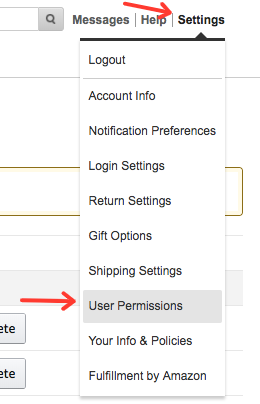
Step 2: Click on Manage Permissions next to the support@sellersarena.com email address
 Step 3: On the top of the page, click the buttons that say View & Edit on the Inventory & Pricing sections
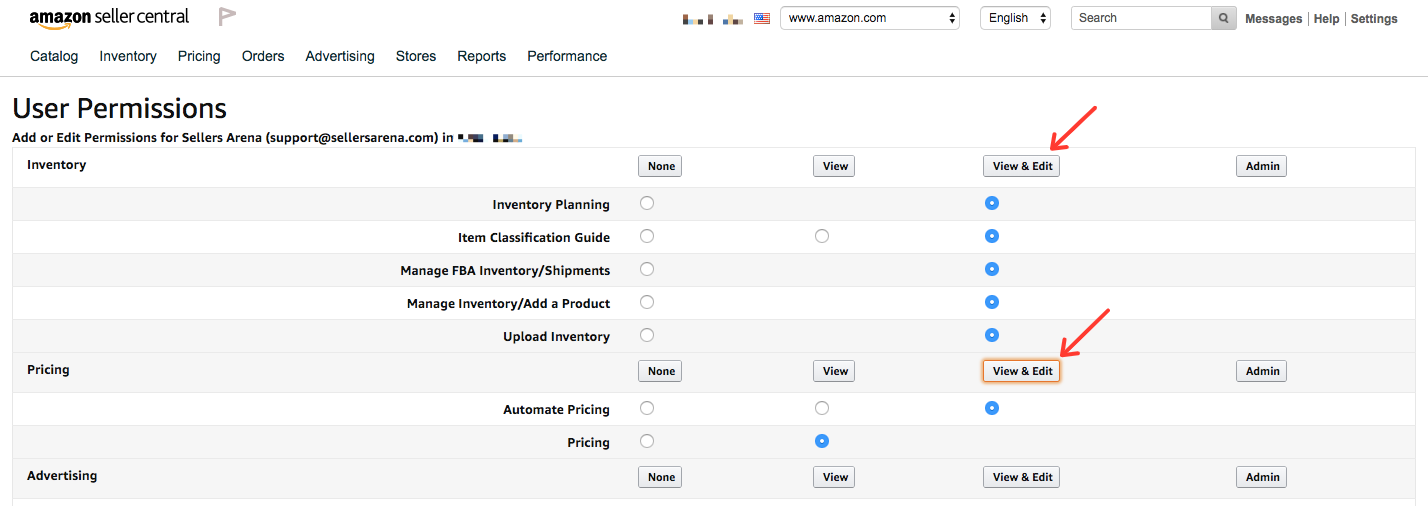 Step 4: Scroll to the bottom of the user permissions and click View & Edit on the Media Upload section, then click Continue

Step 5: The updated sections should turn green and our account access will be enabled to allow us to upload your newly created and optimized listing once completed!
Please also email support@sellersarena.com upon completion to let us know.